

Sootradhara Ventures Pvt Ltd

ERP & CRM Development · Hyderabad

Custom ERP & CRM Software for Growing Businesses

When leads sit in WhatsApp, stock in Excel and accounts in Tally, it is hard to see what is really happening. We build CRM and ERP systems that bring sales, stock, billing and teams into one place, designed for how your business works.

  • Lead & follow-up tracking
  • Inventory & GST billing
  • WhatsApp built in
  • No per-user licences

Overview

One simple system for sales, stock, billing and teams

As a business grows, information spreads out. Leads arrive on WhatsApp, calls and website forms. Stock is tracked in one spreadsheet, orders in another, invoices in Tally, and staff tasks in someone's memory. Owners spend their evenings asking for updates, and important follow-ups slip through the cracks.

A CRM brings your customers and sales pipeline into one place: every enquiry captured, assigned and followed up on time. An ERP connects your operations: purchases, inventory, production, billing, dispatch and accounts working from the same live data. Together, they give you a clear, real-time picture of the business and remove a huge amount of manual work.

We build custom CRM and ERP systems designed around how your business actually runs, rather than forcing you into a rigid off-the-shelf product with features you don't need and per-user fees that grow every year. You start with the module that will help most, usually lead tracking or inventory, and add more as you grow.

Our systems run in the browser on laptops and phones, connect with WhatsApp, email, Tally and payment gateways, and come with training and support so your team actually uses them every day.

Signs you need this

  • Leads come from many places and some are never followed up
  • You don't know your real stock levels without a physical count
  • Billing, inventory and accounts are in separate, disconnected tools
  • Sales reports take hours to prepare and are often outdated
  • Per-user software licence costs keep increasing as your team grows
  • Off-the-shelf CRM or ERP feels too complex for your team
Sounds familiar? Let's talk

Who it's for

Built for businesses like yours

Sales-driven businesses

Real estate, education, insurance, B2B services and dealers that handle many leads and follow-ups.

Manufacturers

Purchase, production planning, raw material tracking, quality checks and dispatch in one system.

Distributors & traders

Multi-location stock, dealer orders, credit limits, collections and route management.

Retail chains

Central control of stock, pricing and sales across branches, with daily reports.

Service companies

Customer records, AMC contracts, service tickets, technician scheduling and billing.

Growing SMEs

Businesses outgrowing spreadsheets that need structure without enterprise-level complexity.

What we offer

Our ERP & CRM Development services

Pick what you need today. We'll help you plan what comes next.

01

CRM for sales teams

Capture every lead from your website, ads and WhatsApp, and never miss a follow-up again.

  • Lead capture from all sources
  • Follow-up reminders
  • Sales pipeline and reports

02

ERP for operations

Purchases, inventory, production, billing and dispatch connected in one system.

  • Multi-location stock
  • GST-ready invoices
  • Purchase and vendor tracking

03

HR & admin modules

Attendance, leave, payroll inputs and staff tasks, all in the same system.

  • Attendance and leave
  • Task assignment
  • Role-based dashboards

Custom CRM

Lead capture from all sources, pipelines, follow-up reminders, WhatsApp and email integration and sales reports.

Best for: Sales and service teams

Custom ERP

Purchase, inventory, production, sales, billing, dispatch and accounts modules connected together.

Best for: Operations-heavy businesses

Inventory management

Multi-warehouse stock, batch and expiry tracking, barcode scanning and reorder alerts.

Best for: Traders, retailers and manufacturers

HR & payroll inputs

Attendance, leave, shifts, tasks and payroll data ready for your accountant or payroll tool.

Best for: Teams with many staff

Dealer & distributor portals

Online ordering, schemes, outstanding balances and statements for your channel partners.

Best for: Businesses with dealer networks

Integrations & migration

Connecting your system with Tally, Zoho, e-invoicing tools and payment gateways, plus moving data from spreadsheets.

Best for: Every implementation

Features

What's built in

The details that make the difference, included wherever they fit your project.

01

Unified lead inbox

Website forms, ads, portals, calls and WhatsApp enquiries land in one list, automatically assigned to the right person.

02

Follow-up reminders

Scheduled calls and meetings with reminders, so no lead is forgotten.

03

Sales pipeline

Visual stages from new enquiry to closed deal, with values and probabilities.

04

Quotations & invoices

Create quotes and GST-ready invoices from customer records in a few clicks.

05

Inventory tracking

Real-time stock by location, with transfers, adjustments and low-stock alerts.

06

Purchase management

Purchase requests, orders, vendor records and goods receipts with approvals.

07

Role-based dashboards

Owners, managers and staff each see the numbers and tasks relevant to them.

08

WhatsApp & email

Send quotes, reminders and updates to customers directly from the system.

09

Mobile access

Sales reps and managers can check leads, stock and reports from their phones.

10

Tally & accounting sync

Push invoices and payments to your accounting software to avoid double entry.

The results

What it means for your business

More deals closed

Timely follow-ups and a clear pipeline mean fewer lost opportunities.

Accurate stock, fewer losses

Real-time inventory reduces stock-outs, overstocking and wastage.

Owners see the business live

Dashboards replace end-of-day phone calls and manual reports.

Lower long-term costs

A custom system avoids rising per-user licence fees as your team grows.

Our process

How your project comes together

Clear steps, regular check-ins and no surprises. Timelines are typical and depend on your scope.

  1. 01

    Business mapping

    1–2 weeks

    We map your sales and operations flows, roles, documents and reports with your team.

  2. 02

    Module plan

    3–5 days

    We prioritise modules and agree on a phased roadmap, starting with the biggest pain point.

  3. 03

    Design

    1–2 weeks

    Screens and dashboards designed for each role, reviewed with real users.

  4. 04

    Build phase one

    4–8 weeks

    We build the first modules in short cycles with regular demos.

  5. 05

    Data migration & training

    1–2 weeks

    We import customers, products and stock, train every role and support go-live.

  6. 06

    Expand & support

    Ongoing

    We add further modules, integrations and improvements based on your feedback.

Options

Choose a starting point

Every project is quoted after a free call. These common starting points help you picture what fits.

CRM starter

Capture and follow up every lead properly.

  • Lead capture from all sources
  • Pipeline & reminders
  • WhatsApp & email templates
  • Sales reports
  • Mobile access

Best for: Sales teams

Timeline: Usually 6–8 weeks

Get a quote
Recommended

Operations ERP

Connect inventory, purchase, sales and billing.

  • Inventory & warehouses
  • Purchase & vendors
  • Sales orders & GST invoices
  • Tally integration
  • Role-based dashboards

Best for: Traders and manufacturers

Timeline: Usually 10–16 weeks

Get a quote

Complete business suite

CRM, ERP, HR and portals in one connected system.

  • All core modules
  • Dealer or customer portal
  • HR & attendance
  • Advanced analytics
  • Ongoing development

Best for: Growing multi-branch businesses

Timeline: Phased over months

Get a quote

Pricing

What affects the cost?

We don't believe in one-size-fits-all price lists. Your quote depends on what you actually need. These are the main factors:

Number of modules

CRM only is much smaller than CRM plus inventory, purchase, production and HR.

Business rules

Complex pricing, schemes, approvals and calculations need careful design and testing.

Number of locations

Multiple warehouses or branches add stock transfers, permissions and reports.

Integrations

Tally, e-invoicing, payment gateways and marketplaces each need setup and testing.

Data migration

Clean data is quick to import; years of messy spreadsheets need cleanup first.

Training & support

Larger teams need more training sessions and support during rollout.

Get an accurate estimate

Share these details and we'll send a clear, written quote:

  1. 1Describe how a lead or order moves through your business today
  2. 2Share your current spreadsheets and reports
  3. 3List the roles and how many people will use the system
  4. 4Mention your accounting software and other tools
  5. 5Tell us which problem you want solved first
Request my free quote

Tools we use

Proven tools, chosen for your needs

  • React & Next.jsSimple dashboards for your team
  • Node.js & PostgreSQLReliable data and business rules
  • WhatsApp Business APILead chats and alerts
  • Tally / Zoho integrationSync with your accounts

What you get

Delivered to you

  • Process mapping and module plan
  • Working CRM / ERP on the cloud
  • Data migration from your sheets
  • Staff training and user guide
  • Ongoing support plan (optional)

Why Sootradhara

Why choose us for ERP & CRM Development

Only the modules you need

Start with what hurts most, such as leads or stock, and add modules as you grow.

No per-user licence fees

Unlike many SaaS tools, a custom system doesn't charge you more for each new team member.

Your data, your control

Hosted on your cloud account with backups, so the data always belongs to you.

Buyer's guide

Get it right the first time

Honest advice we share with every client, whether or not you work with us.

Common mistakes to avoid

  • Buying features you'll never use

    Big systems with hundreds of features often confuse teams. Start with what you need.

  • Skipping data cleanup

    Importing duplicate customers and wrong stock figures makes the new system unreliable from day one.

  • No training plan

    If staff don't know how to use the system, they'll go back to spreadsheets.

  • Leaving out field users

    Sales reps and warehouse staff need simple mobile screens, or they won't update the system.

  • Going live everywhere at once

    Roll out by team or branch to catch issues early and build confidence.

How to choose the right partner

  • They understand your industryAsk how they'd handle your specific processes, like schemes, batches or site visits.
  • They offer phased deliveryA good partner gets a useful module live early and builds from there.
  • They plan data migrationAsk exactly how your existing data will be cleaned and moved.
  • They integrate with your accountsMake sure the system can work with Tally or your accounting tool.
  • You own the systemCode, data and hosting accounts should belong to your company.
  • They support adoptionTraining, quick help and regular check-ins are essential in the first months.

The complete guide

Moving from spreadsheets to an ERP or CRM: a practical guide

Spreadsheets and WhatsApp groups work well when a business is small. As you grow, they start to slow you down. This guide explains how to tell when it's time for a CRM or ERP, how to plan the move and how to make the new system stick.

CRM vs ERP: what's the difference?

A CRM (customer relationship management) system focuses on customers and sales: capturing enquiries, tracking conversations, scheduling follow-ups, managing deals and measuring sales performance.

An ERP (enterprise resource planning) system focuses on operations: purchases, inventory, production, orders, billing, dispatch and often HR. Many growing businesses need both, connected so a closed sale flows smoothly into an order, invoice and delivery.

Signs you've outgrown spreadsheets

Common signs include missed follow-ups, frequent stock mismatches, multiple versions of the same spreadsheet, long hours preparing reports, errors in invoices and owners who can't get a clear picture without asking several people.

If several of these sound familiar, a structured system will likely save time and money, and reduce stress for everyone.

  • Leads forgotten or followed up late
  • Stock counts that don't match records
  • Several versions of the same sheet
  • Reports that take hours to prepare
  • Billing errors and rework
  • Owners chasing staff for updates

Off-the-shelf or custom?

Ready-made CRMs and ERPs can be a good fit if your processes are fairly standard and you're comfortable adapting to the software. Watch for per-user fees that grow with your team, features you'll never use, and limits on customisation.

Custom systems are designed around your exact workflow and can be more affordable long-term for larger teams. They take longer to build initially, so a phased approach is important.

Start with the biggest pain point

You don't need every module on day one. If leads are slipping through the cracks, start with the CRM. If stock is the problem, start with inventory. Getting one module live quickly builds confidence and shows value early.

Each later phase builds on the foundation of the first, connecting more parts of the business over time.

Design around roles

Different people need different views. A salesperson needs today's follow-ups and lead details. A warehouse manager needs pending dispatches and stock levels. An owner needs dashboards across the business.

Designing screens around each role keeps the system simple for everyone, rather than showing every feature to every user.

Data migration: plan it properly

Your existing customer lists, product catalogues, price lists and opening stock need to move into the new system. This is the moment to clean up duplicates, standardise names and remove outdated records.

Agree on a cut-over date, freeze changes to the old sheets, import the cleaned data and verify it with the team before going live.

Integrate with accounts and communication

Most Indian businesses use Tally or another accounting tool. Your CRM or ERP should send invoices and payments to it, avoiding double entry. Integration with WhatsApp and email lets your team send quotes, reminders and updates directly from the system.

Check integration options early, because they influence the design of the whole system.

Training and adoption

Plan role-based training, simple guides and a clear point of contact for questions. Make the new system the single source of truth: once it's live, decisions and reports should come only from it, not from old spreadsheets.

Celebrate early wins, collect feedback and make quick improvements in the first weeks. Adoption grows when people see the system making their work easier.

Keep improving

After launch, review usage and reports regularly. Add automation for repetitive steps, new reports for decisions and modules for other departments when ready.

A well-maintained system becomes the backbone of your business, giving you clarity and control as you grow.
Concept work

A glimpse of our design style

Concept designs made by our team to show our craft. Not client projects.

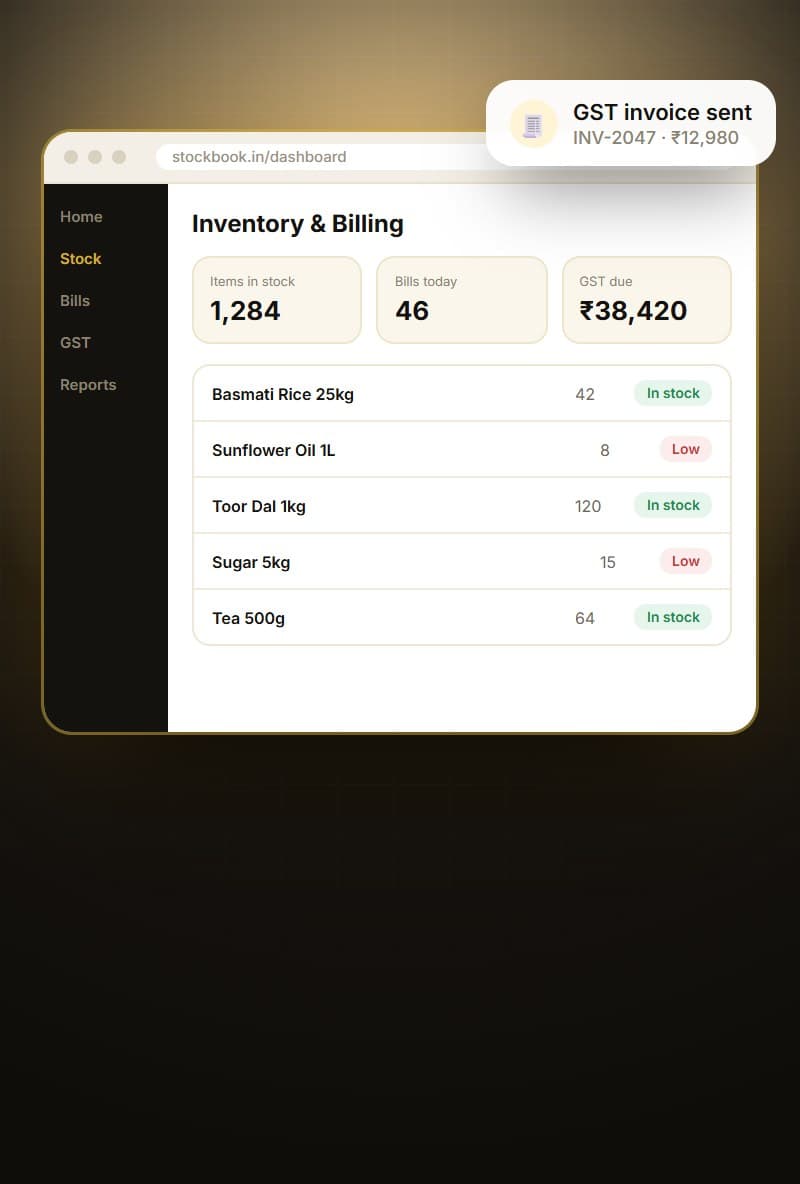
Inventory & billing ERP (concept design)Concept
Inventory & billing ERPConcept design for stock, invoices and GST reports
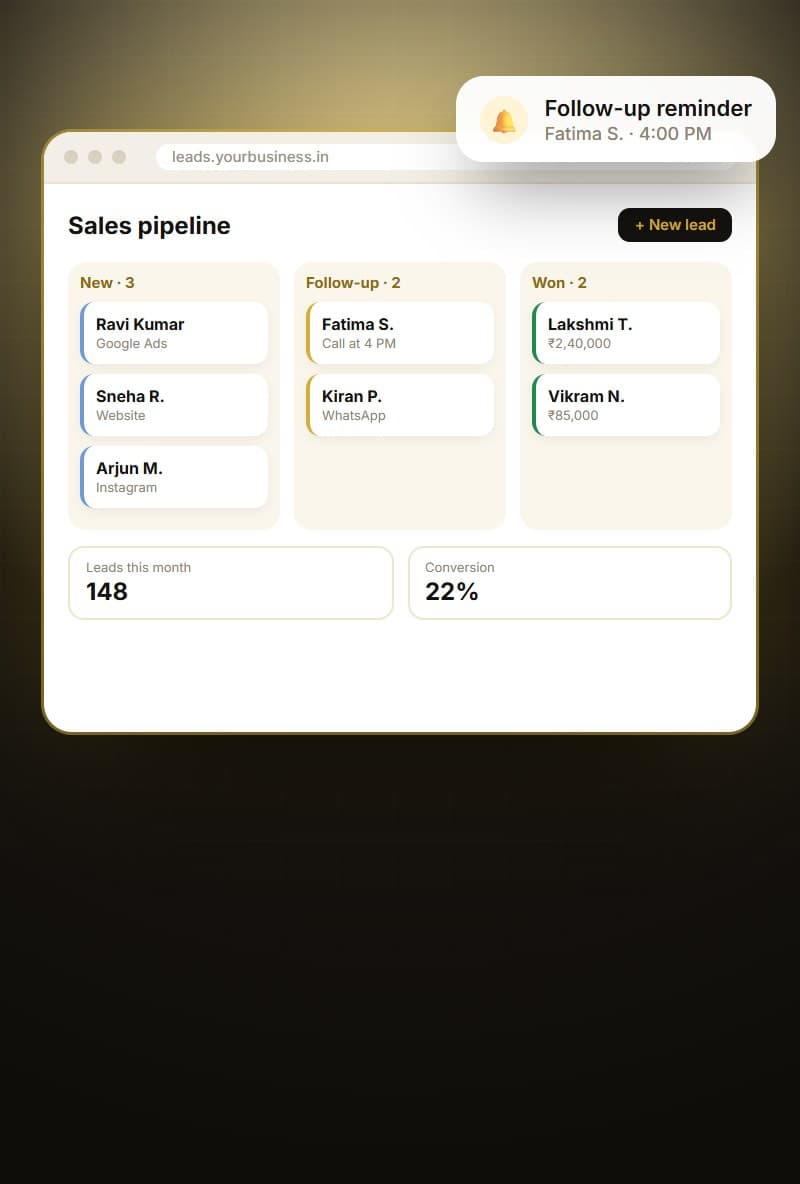
Sales pipeline CRM (concept design)Concept
Sales pipeline CRMConcept design for leads, follow-ups and won deals

Local

ERP and CRM development in Hyderabad

Hyderabad's business landscape includes pharma and chemical suppliers, manufacturing units around the industrial belts, real estate developers across the western corridor, and thousands of traders and distributors serving Telangana and Andhra Pradesh. Many of them manage sales and stock with a mix of Tally, Excel and WhatsApp, and they need a better system without enterprise complexity.

Being in Hyderabad, we can visit your office, warehouse or factory to understand the real workflow, run training sessions in person and support your team during go-live.

We also implement CRM and ERP systems for businesses across India, with remote training and support.

Areas we serve

HITEC CityMadhapurGachibowliKondapurBanjara HillsJubilee HillsKukatpallySecunderabadBegumpetAmeerpetManikondaUppalLB NagarKompally+ all of India, remotely

Industries we build this for

Glossary

Terms explained simply

Tech words you may hear during your project, in plain English.

CRM
Customer Relationship Management, software to track leads, customers, conversations and sales.
ERP
Enterprise Resource Planning, software connecting operations like purchase, inventory, sales, billing and accounts.
Pipeline
The stages a sales opportunity moves through, from new enquiry to closed deal.
Lead source
Where an enquiry came from, such as a portal, ad, website, referral or walk-in.
Inventory valuation
The method used to calculate the value of your stock for accounts and reports.
Purchase order
A formal request to a supplier for goods, with quantities and prices.
Dashboard
A screen showing key numbers and charts at a glance, updated in real time.
Per-user licence
A pricing model where software costs increase for every additional user.

FAQ

ERP & CRM Development: common questions

Why not just use Zoho or Salesforce?

They are good tools. A custom system makes sense when your process is unusual, you have many users, or you are paying for features you never use.

Can you move our data from Excel?

Yes. We clean and import your existing customer, product and stock data during setup.

Can our team use it on mobile?

Yes. The system works in the phone browser, and we can build a mobile app for field staff if needed.

How long does an ERP or CRM take?

A focused CRM can go live in 6 to 10 weeks. A full ERP is built in phases, with the first module live early.

Is a custom ERP better than Tally?

Tally is excellent for accounting. A custom ERP handles operations like orders, stock and dispatch, and can sync with Tally so both work together.

Can we use it on mobile?

Yes. The system works in mobile browsers, and we can add a dedicated app for field sales or warehouse teams.

How secure is our data?

We use secure logins, role-based access, encryption and regular backups, hosted in a cloud account owned by you.

Can it handle multiple branches?

Yes. We design for multiple locations, warehouses and companies if needed, with separate permissions and reports.

What happens if our team grows?

You can add users without per-user licence fees. We plan the system to scale with your business.

Do you offer support after go-live?

Yes. We offer support plans for fixes, changes, new reports and new modules.

Let's build your ERP or CRM. Get a free quote.

Tell us what you have in mind. We'll reply with honest advice, a clear plan and a fixed quote.