
Sootradhara Ventures Pvt Ltd

Mobile App Development · Hyderabad

Mobile App Development in Hyderabad for Android & iOS

Have an app idea, or need an app for your customers or staff? We help you plan the right features, design simple screens, build the app for Android and iOS, and publish it on the Play Store and App Store.

  • Android & iOS
  • Clickable prototype first
  • UPI & Razorpay payments
  • Store launch included

Overview

Apps your customers actually keep on their phones

People install an app and decide within the first minute whether to keep it. If sign-up is confusing, screens are slow or the app crashes, it gets deleted, often forever. A good mobile app feels simple, loads quickly, works on everyday Android phones and solves one real problem very well.

We design and build mobile apps for startups, retail brands, service businesses, schools, clinics and companies that need tools for their field staff. Our approach is practical: we start by understanding who will use the app and what they need to get done, then design the shortest, clearest path for them to do it. Only after you are happy with a clickable prototype do we start writing code.

Most of our apps are built with Flutter or React Native, which lets one team ship apps for both Android and iOS from a single codebase. That saves time and money while still giving users a fast, native-feeling experience. When an app needs deep device features, we use native Swift and Kotlin where it makes sense.

We also handle the parts that often get forgotten: the admin panel your team uses to manage content and users, push notifications, payments, analytics, store listings, and support after launch when real users start giving feedback.

Signs you need this

  • Your customers keep asking whether you have an app
  • Repeat customers order or book often and want a faster way
  • Your field staff still use paper, calls or WhatsApp to report work
  • You have a startup idea that needs to be tested with real users
  • Your current app has poor reviews, crashes or feels slow
  • You want to send offers and updates directly to customers' phones
Sounds familiar? Let's talk

Who it's for

Built for businesses like yours

Startup founders

Turn an idea into a focused first version you can launch, test with users and show to investors, without building everything at once.

Retail & D2C brands

Shopping apps with UPI payments, order tracking, loyalty points and push offers that bring customers back more often.

Service businesses

Booking apps for salons, clinics, gyms, repair services and home services, with reminders and online payments.

Companies with field teams

Apps for sales reps, delivery staff and technicians to log visits, capture photos, collect signatures and work offline.

Schools & coaching institutes

Student and parent apps for attendance, homework, results, fee payments and announcements.

Restaurants & cloud kitchens

Direct ordering apps that reduce dependence on aggregator commissions and build a loyal customer base.

What we offer

Our Mobile App Development services

Pick what you need today. We'll help you plan what comes next.

01

Customer apps

Booking, ordering, loyalty and service apps that keep your customers coming back.

  • Simple sign-up with OTP
  • UPI and card payments
  • Push notifications for offers

02

Staff & field apps

Apps for sales teams, delivery staff and technicians to log visits, orders, photos and attendance.

  • Works on low network
  • GPS check-in
  • Syncs with your admin panel

03

MVPs for startups

A focused first version of your product so you can test it with real users and show investors.

  • Feature planning workshop
  • Clickable prototype first
  • Built to grow later

Cross-platform apps

One codebase for Android and iOS using Flutter or React Native, which keeps cost and timelines lower without sacrificing quality.

Best for: Most businesses and startups

Native Android & iOS apps

Apps built with Kotlin and Swift for maximum performance and deep access to device features like Bluetooth, sensors or advanced camera use.

Best for: Performance-critical apps

MVP development

A lean first version with only the core features, built quickly so you can learn from real users before investing more.

Best for: New products and startups

App redesign & rebuild

We review your existing app, fix usability problems, improve speed and modernise the design while keeping your users' data safe.

Best for: Apps with poor ratings or old code

Admin panels & backends

The web dashboard and server behind your app, where your team manages users, orders, content and reports.

Best for: Every app that needs management

App maintenance

OS updates, bug fixes, performance tuning, store compliance changes and small new features every month.

Best for: Live apps that must stay healthy

Features

What's built in

The details that make the difference, included wherever they fit your project.

01

Simple OTP sign-up

Phone number and OTP login, with optional Google or Apple sign-in, so users get in quickly without remembering passwords.

02

Payments built for India

UPI, cards, net banking and wallets through Razorpay, Cashfree or PhonePe, plus invoices, refunds and payment history.

03

Push notifications

Order updates, reminders and offers sent to users' phones, with controls so you don't overwhelm them.

04

Offline support

Field and rural users can keep working without network. Data syncs automatically when the connection returns.

05

Maps & location

Store locators, delivery tracking, GPS check-ins and distance-based services using Google Maps.

06

In-app chat & support

Chat with your team, WhatsApp handover or support tickets, so users get help without leaving the app.

07

Admin dashboard

A web panel for your team to manage users, content, orders, notifications and reports, with role-based access.

08

Analytics

See how many people use the app, where they drop off, and which features matter most, so you can improve with real data.

09

Security

Encrypted connections, secure token storage, role-based permissions and safe handling of personal data.

10

Performance on everyday phones

We test on mid-range Android devices that most Indian users actually own, not just the latest flagship phones.

The results

What it means for your business

Customers come back more often

An app icon on their home screen and well-timed notifications keep your business top of mind.

Faster, smoother transactions

Saved details and one-tap payments make repeat orders and bookings much quicker.

Less manual work for your team

Bookings, orders and field reports flow directly into your system instead of through calls and messages.

Better understanding of customers

App analytics show what customers use and value, helping you make smarter business decisions.

Our process

How your project comes together

Clear steps, regular check-ins and no surprises. Timelines are typical and depend on your scope.

  1. 01

    Product discovery

    1–2 weeks

    We define your users, the core problem, must-have features and what success looks like for the first version.

  2. 02

    UX & clickable prototype

    2–3 weeks

    Wireframes and a clickable Figma prototype let you test the flow on your phone before any code is written.

  3. 03

    Visual design

    1–2 weeks

    Final screen designs with your brand colours, icons and states for loading, errors and empty screens.

  4. 04

    Development sprints

    6–12 weeks

    We build in two-week sprints, sharing test builds you can install and use as the app takes shape.

  5. 05

    Testing & store launch

    1–2 weeks

    Testing on real devices, fixing issues, preparing store listings and handling Play Store and App Store review.

  6. 06

    Improve & grow

    Ongoing

    After launch, we monitor crashes and reviews, fix issues quickly and plan improvements based on real usage.

Options

Choose a starting point

Every project is quoted after a free call. These common starting points help you picture what fits.

MVP app

The core features needed to launch and learn from real users.

  • Android & iOS (cross-platform)
  • OTP login & profiles
  • 3–5 core features
  • Basic admin panel
  • Store submission

Best for: Startups testing an idea

Timeline: Usually 8–10 weeks

Get a quote
Recommended

Business app

A polished app for customers or staff, with payments and notifications.

  • Everything in MVP
  • Payments & invoices
  • Push notifications
  • Analytics dashboard
  • Integrations with your systems

Best for: Growing businesses

Timeline: Usually 10–16 weeks

Get a quote

Platform app

Multiple user types, complex workflows and a full management backend.

  • Customer, partner & admin apps
  • Real-time tracking or chat
  • Advanced roles & reports
  • Scalable cloud backend
  • Ongoing support plan

Best for: Marketplaces and large operations

Timeline: Scoped after discovery

Get a quote

Pricing

What affects the cost?

We don't believe in one-size-fits-all price lists. Your quote depends on what you actually need. These are the main factors:

Number of features and screens

Every screen and feature needs design, development and testing. A focused feature list keeps the first version affordable.

Platforms

Cross-platform development covers Android and iOS together. Separate native apps for each platform take more effort.

User types

An app with customers, delivery partners and admins needs separate flows and permissions for each, which adds scope.

Integrations

Payments, maps, SMS, WhatsApp, ERP or third-party APIs each require setup and testing.

Backend complexity

Real-time features like live tracking or chat, heavy data or complex business rules need a stronger backend.

Maintenance plan

Apps need regular updates for new Android and iOS versions. A monthly plan keeps your app stable and compliant.

Get an accurate estimate

Share these details and we'll send a clear, written quote:

  1. 1Describe who will use the app and what they need to do
  2. 2List the must-have features for the first version
  3. 3Share apps you like and what you like about them
  4. 4Mention any systems the app must connect to
  5. 5Tell us your launch target and budget range
Request my free quote

Tools we use

Proven tools, chosen for your needs

  • Flutter & React NativeOne app for Android and iOS
  • Swift & KotlinWhen an app needs native features
  • FirebaseLogin, notifications and real-time data
  • Razorpay / UPIIn-app payments

What you get

Delivered to you

  • Feature list and clickable prototype
  • Android and iOS apps
  • Admin panel to manage users and content
  • Play Store and App Store publishing
  • Support for bug fixes after launch

Why Sootradhara

Why choose us for Mobile App Development

Prototype before code

You click through the app screens before we write code, so changes are cheap and quick.

One team, both platforms

We build for Android and iOS together, which saves time and keeps both apps in sync.

We handle the store launch

Store listings, screenshots and review guidelines are part of our work.

Buyer's guide

Get it right the first time

Honest advice we share with every client, whether or not you work with us.

Common mistakes to avoid

  • Building every feature at once

    Launching with too many features takes longer, costs more and makes it harder to learn what users truly want.

  • Skipping the prototype

    Changing a design is cheap; changing finished code is expensive. A prototype catches problems early.

  • Testing only on high-end phones

    Many users have mid-range Android phones with limited storage and memory. Test where your users are.

  • Forgetting the admin side

    Your team needs good tools to manage the app. A weak admin panel creates daily headaches.

  • No plan after launch

    Reviews, crashes and OS updates need attention. Budget time and money for improvements after release.

How to choose the right partner

  • Check apps they've shippedAsk for live apps you can download and try yourself. Look at reviews and how the app feels on your phone.
  • Ask how they handle designA good partner shows you prototypes and designs before coding, and welcomes your feedback.
  • Understand their tech choicesAsk why they recommend Flutter, React Native or native code for your app. The answer should match your needs, not just their habits.
  • Clarify ownershipThe app should be published under your developer accounts and the source code handed over to you.
  • Discuss post-launch supportAsk what happens when a bug appears or a new OS version breaks something after launch.
  • Look for clear communicationRegular updates, test builds and honest timelines matter more than big promises.

The complete guide

Planning a mobile app: what business owners should know

Building an app is an exciting step, and also a significant investment of time and money. This guide covers the key decisions, from whether you need an app at all to what happens after launch, so you can plan wisely and avoid the most common surprises.

Do you really need an app?

Apps make the most sense when customers or staff will use them often: weekly orders, regular bookings, daily field work, ongoing learning or frequent payments. For occasional visitors, a fast mobile website is usually a better and cheaper choice, because people won't install an app they use once.

Ask yourself: what will users do in the app that they can't easily do today? How often will they open it? What will make them keep it on their phone? If the answers are clear, an app can become a powerful channel for your business.

Define the smallest useful first version

The most successful apps start focused. List every feature you can think of, then mark the ones that are essential for a user to get value on day one. Everything else can come later, based on real feedback.

A focused first version launches sooner, costs less and teaches you what users actually want. It's much easier to add features to an app people love than to fix an app that tried to do too much.

  • Who is the main user?
  • What is the one job they need done?
  • What's the shortest path to do it?
  • What must work offline?
  • How will you measure success?
  • What can safely wait for version two?

Android, iOS or both?

In India, Android has the larger share of users, while iOS users are often concentrated in premium segments. Many businesses launch on both at the same time using cross-platform tools like Flutter or React Native, which share one codebase and keep costs manageable.

If your audience is mostly in one group, starting there is reasonable. Discuss your customer profile with your development partner to make the right call.

Design for real phones and real networks

Your users may have mid-range phones with limited storage, older Android versions and patchy mobile data. Keep the app size small, load content efficiently, show clear loading states and handle network errors gracefully.

Simple, familiar patterns work best: bottom navigation, large buttons, readable text and clear labels. Consider regional language support if your audience prefers it. Test with people who are not tech-savvy to find confusing steps.

Payments, logins and notifications

OTP-based login is the standard expectation for Indian users. For payments, UPI should be front and centre, with cards, net banking and wallets as options, all through a trusted payment gateway. Make receipts and payment history easy to find.

Push notifications are valuable but easy to overuse. Send updates users care about, like order status, appointment reminders and genuinely useful offers. Too many messages lead to uninstalls.

Don't forget the admin side

Behind every app is a team that manages users, content, orders and support. A clear admin panel saves hours every day and prevents mistakes. Plan the admin experience with the same care as the customer app.

Think about reports too. What numbers do you need to see each day or week? Building them in from the start is easier than adding them later.

Store launch and approval

Both Google Play and the Apple App Store review apps before publishing. You'll need developer accounts in your company's name, a privacy policy, clear descriptions, screenshots and correct data-safety information. Apple's review is generally stricter, so plan a little extra time.

Ensure the apps are published under your own accounts. This keeps you in control of your product, reviews and users.

Costs beyond the first build

Apps have ongoing costs: cloud hosting, store developer accounts, third-party services like SMS or maps, and regular maintenance. New Android and iOS versions arrive every year and may require updates.

Budget for improvements after launch too. Real users will suggest changes, find bugs and reveal new opportunities. The best apps improve steadily over time.

Measuring success after launch

Track installs, active users, retention (how many come back), key actions completed and crash rates. Read store reviews regularly and respond politely. Use this data to plan each next release.

A good development partner will help you interpret this data and turn it into a practical improvement roadmap.
Concept work

A glimpse of our design style

Concept designs made by our team to show our craft. Not client projects.

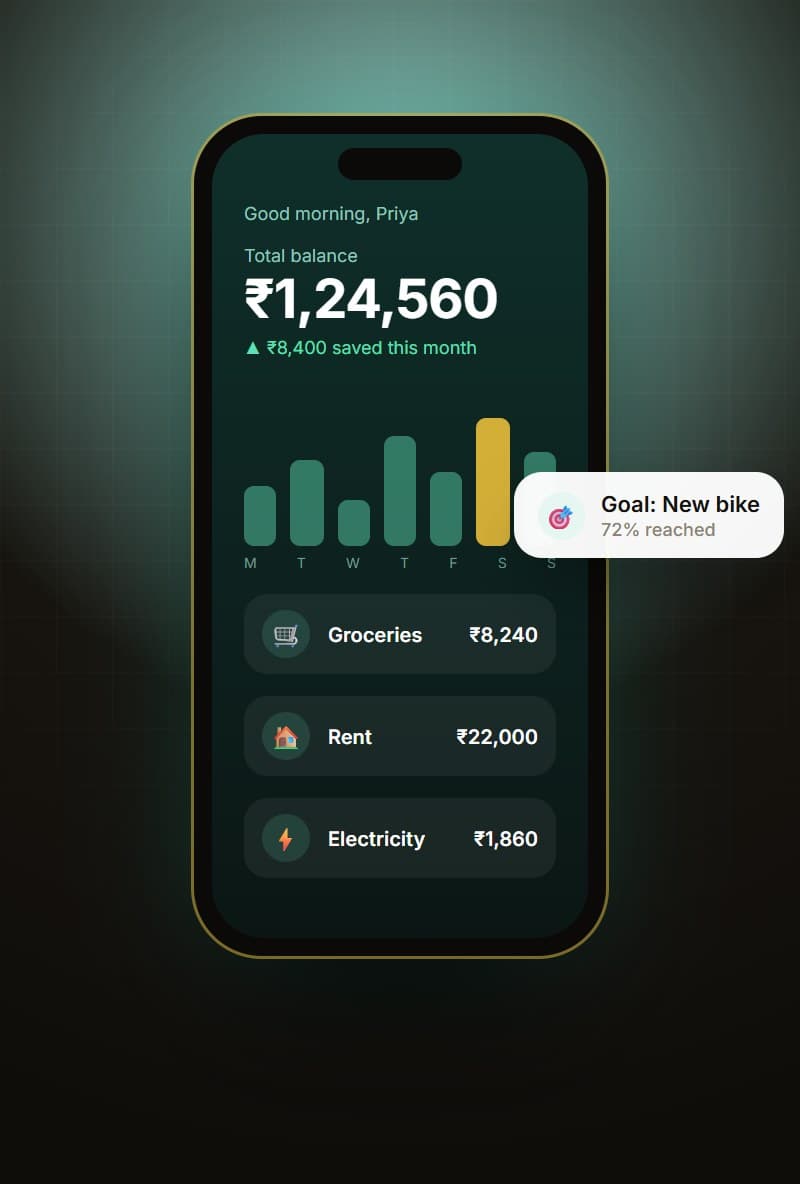
Personal finance app (concept design)Concept
Personal finance appConcept design for tracking spending, savings and goals
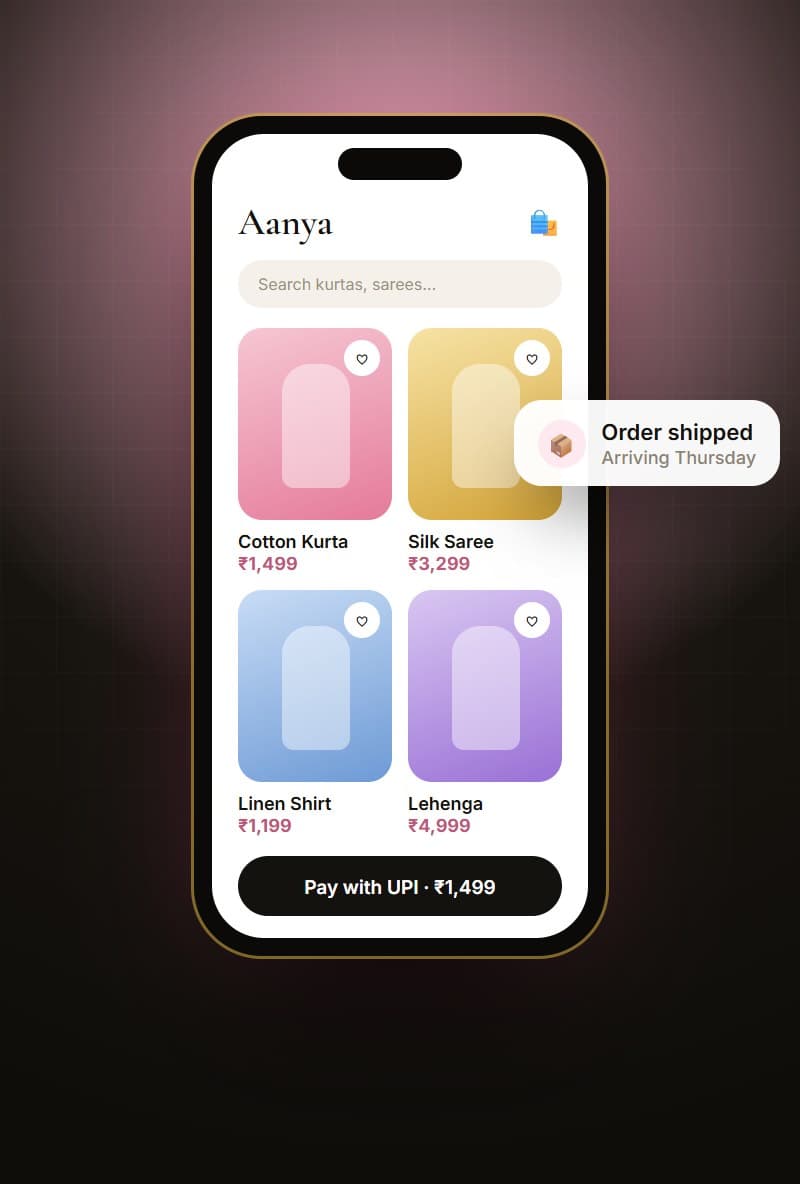
Shopping app (concept design)Concept
Shopping appConcept design for browsing and paying by UPI
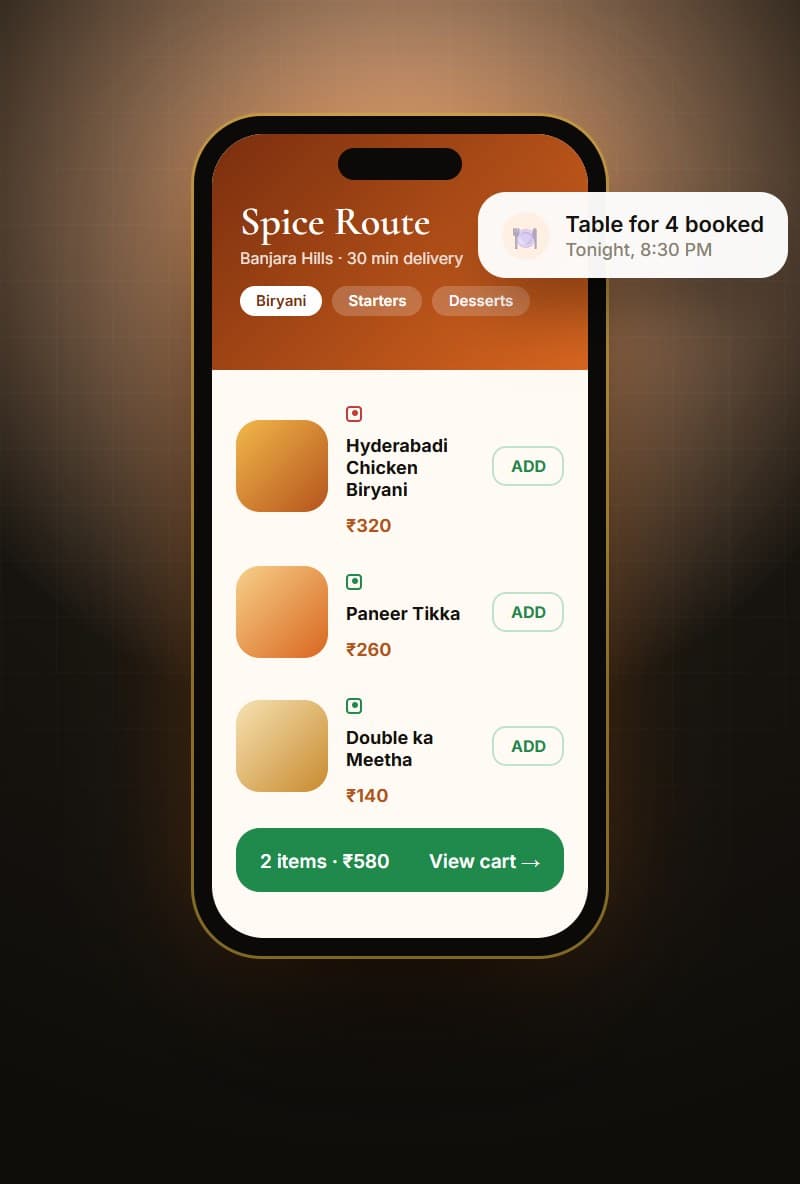
Food ordering app (concept design)Concept
Food ordering appConcept design for menus, cart and table booking

Local

Mobile app development in Hyderabad

Hyderabad is one of India's busiest technology cities, and businesses here, from HITEC City startups to family businesses in Secunderabad, increasingly need apps that their customers and teams can rely on. We work with clients across Madhapur, Gachibowli, Kondapur, Banjara Hills, Kukatpally, Begumpet, Manikonda and beyond, and we're happy to meet in person for workshops and reviews.

Building for Indian users means planning for UPI payments, OTP logins, varied network speeds, many Android device sizes and, often, users who prefer simple language or regional language options. We design with these realities in mind from the start.

We also work with founders and companies across India and overseas who want a responsive team with clear communication and predictable delivery.

Areas we serve

HITEC CityMadhapurGachibowliKondapurBanjara HillsJubilee HillsKukatpallySecunderabadBegumpetAmeerpetManikondaUppalLB NagarKompally+ all of India, remotely

Glossary

Terms explained simply

Tech words you may hear during your project, in plain English.

Native app
An app built specifically for Android (Kotlin) or iOS (Swift). It offers maximum performance and device access.
Cross-platform
One codebase that runs on both Android and iOS, using tools like Flutter or React Native. It usually saves time and cost.
MVP
Minimum Viable Product, the smallest version of your app that delivers real value and lets you learn from users.
Backend
The server, database and logic behind your app that store data and handle tasks like payments and notifications.
API
A way for your app to talk to other systems, such as payment gateways, maps or your own software.
Push notification
A message that appears on a user's phone from your app, even when the app isn't open.
Admin panel
A web dashboard where your team manages users, content, orders and reports.
Retention
How many users keep using your app over time. It's one of the best measures of whether people value it.

FAQ

Mobile App Development: common questions

Should I build for Android or iOS first?

In India most users are on Android, so many businesses start there. With Flutter or React Native we can usually launch both at the same time for little extra effort.

How long does an app take?

A focused first version usually takes 8 to 14 weeks depending on features. We agree on the scope and timeline before starting.

Who owns the app and source code?

You do. The app is published under your developer accounts, and the source code is handed over once the project is paid.

Can you add payments to my app?

Yes. We regularly integrate Razorpay, UPI, cards and wallets, along with invoices and refunds.

Flutter or React Native: which do you recommend?

Both are excellent for cross-platform apps. Flutter gives very consistent UI and strong performance; React Native fits well if you already use React for your website. We recommend one based on your app's needs and future plans.

How do you keep my app idea confidential?

We're happy to sign an NDA before detailed discussions, and access to your project files is limited to the team working on it.

Can you take over an app built by another company?

Yes. We first review the code and setup, share an honest assessment, and then plan fixes, improvements or a rebuild if needed.

Will the app work without internet?

We can build offline support for key features, with data syncing automatically when the network is back.

Do you help with Play Store and App Store approval?

Yes. We prepare store listings, screenshots and privacy details, and handle the review process for both stores.

What does it cost to keep an app running?

Ongoing costs include cloud hosting, store developer accounts and maintenance. We estimate these upfront so there are no surprises.

Let's build your mobile app. Get a free quote.

Tell us what you have in mind. We'll reply with honest advice, a clear plan and a fixed quote.